
BLOGS
Zotero vs Mendeley: Which Reference Manager Should You Use?
Compare Zotero vs Mendeley to find the best reference manager for your research. Explore citation tools, PDF management, collaboration, and ease of use.
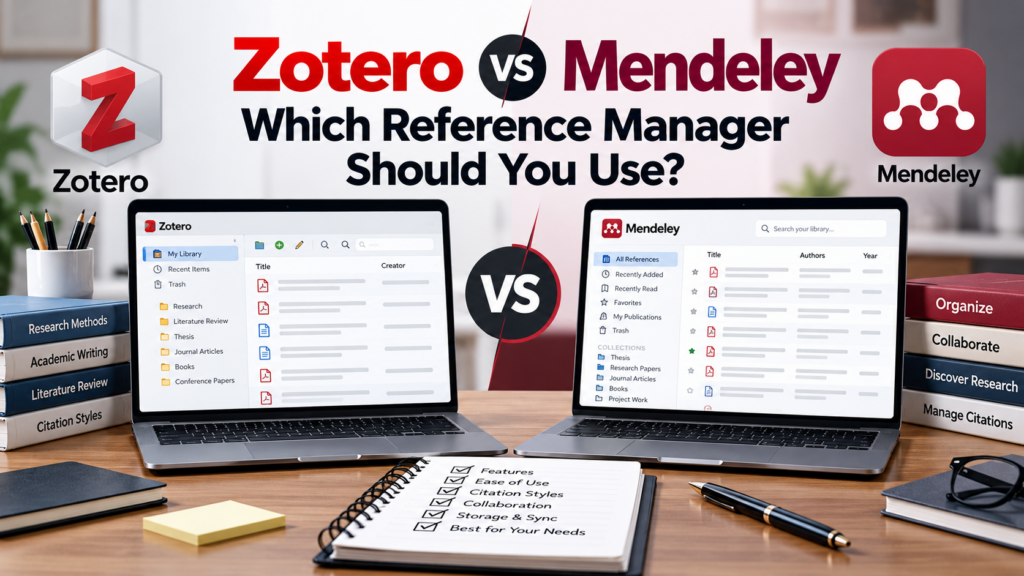
Choosing a reference manager may seem like a minor decision when you begin a research project. At first, you may have only a few journal articles, books, reports, and websites to track. As your literature review grows, however, reference management can become one of the most important parts of your academic workflow.
A dissertation, thesis, systematic review, or doctoral research project can involve hundreds or even thousands of sources. Without a reliable system, PDFs can become difficult to find, duplicate references can accumulate, notes can become separated from their original sources, and citation errors can appear in the final document.
This is where reference management software becomes useful.
Two of the most widely used options are Zotero and Mendeley. Both can help researchers collect sources, organize references, store PDFs, add annotations, insert citations, and create bibliographies. Both are designed to reduce repetitive manual referencing work.
However, they are not identical.
The Zotero vs Mendeley decision depends on your research habits, writing software, storage requirements, collaboration needs, preferred interface, and how much control you want over your research library.
This guide compares Zotero and Mendeley from the perspective of university students, postgraduate researchers, dissertation writers, doctoral candidates, and academics. The purpose is not to claim that one program is automatically right for everyone. The goal is to help you identify which reference manager is more suitable for your own academic workflow.
What Is a Reference Manager?
A reference manager is software that helps researchers collect, organize, store, and cite information about sources.
Instead of manually typing every reference into a Word document, you can save bibliographic information such as author names, article or book titles, publication dates, journal titles, volume and issue numbers, page ranges, DOI numbers, URLs, publishers, and other citation details.
When you begin writing, the software can then use that information to insert in-text citations and generate a bibliography according to a selected referencing style.
This can save considerable time. However, a reference manager is not simply a bibliography generator.
A well-organized reference library can also become part of your research system. You can use it to categorize papers, store PDFs, create notes, mark important studies, separate sources by chapter or theme, and retrieve evidence when writing.
This becomes increasingly important as a research project grows. A student writing a short essay may manage 10 or 20 references without much difficulty. A doctoral researcher working across several years may need to manage hundreds of papers covering multiple theories, methodologies, populations, and findings.
The quality of the organizational system can therefore affect the efficiency of the entire research process.
What Is Zotero?
Zotero is a free, open-source reference management tool designed to help researchers collect, organize, annotate, cite, and share research sources.
One of Zotero’s strongest features is its browser connector. When you are viewing a journal article, book, report, webpage, newspaper article, or another supported source online, Zotero can often detect the bibliographic information automatically. You can then save that record directly into your Zotero library.
Zotero also allows users to add references through identifiers such as DOI numbers and ISBNs. It can retrieve publication information and, in suitable cases, help researchers locate accessible copies of papers.
Its desktop application includes a PDF reader. This means the researcher can collect a paper, open it inside Zotero, highlight important material, add annotations, and connect those annotations with research notes.
That creates a more integrated workflow. Instead of storing articles in one folder, notes in another application, and references in a separate document, Zotero allows much of that work to remain connected.
Its official word-processing integrations include Microsoft Word, LibreOffice, and Google Docs. This is one reason Zotero is particularly popular among researchers who move between different writing environments.
Zotero also supports a large number of citation styles and allows users to install or modify styles where required. Official information: https://www.zotero.org/
What Is Mendeley?
Mendeley Reference Manager is another widely used tool for managing academic references and research PDFs.
It allows users to import references, attach files, create collections, search the library, add tags, and organize academic material in one place. Mendeley also provides a Web Importer that allows researchers to capture references from supported websites and databases while browsing online.
Like Zotero, Mendeley includes PDF-reading and annotation functionality. Users can highlight text, make comments, and use notebook-style features to collect information from different sources.
Its current citation workflow is strongly centered on Microsoft Word through Mendeley Cite. Mendeley Cite allows users to search their library from within Word, insert citations, select citation styles, and generate a bibliography.
Mendeley also provides collaborative functions through groups and shared research workflows.
In recent versions of the platform, Mendeley has introduced AI-assisted features as part of some plans. These functions are intended to help researchers interact with their stored literature in additional ways. Official information: https://www.mendeley.com/
Zotero vs Mendeley at a Glance
Feature | Zotero | Mendeley |
Basic reference management | Yes | Yes |
Free desktop application | Yes | Yes |
Browser-based access | Yes | Yes |
Browser reference capture | Yes | Yes |
PDF management | Yes | Yes |
PDF highlighting and annotation | Yes | Yes |
Microsoft Word integration | Yes | Yes |
Google Docs integration | Yes | More limited compared with Zotero |
LibreOffice integration | Yes | Less central to current Mendeley workflow |
Group collaboration | Yes | Yes |
Free cloud file storage | 300 MB | 2 GB |
Open-source | Yes | No |
Paid storage options | Yes | Yes |
AI-assisted research features | Not a central native feature | Available in current Mendeley plans |
Customization and plugins | Strong | More limited |
The table gives a useful starting point, but choosing the best reference manager requires looking at how these features affect real academic work.
Which Is Easier for Collecting References?
Both Zotero and Mendeley are designed to reduce the need for manual reference entry.
Zotero’s browser connector is one of its strongest practical advantages. If you find an article through an academic database, publisher website, library catalogue, or another supported webpage, you can often save the reference directly with a single action.
Mendeley’s Web Importer performs a similar function. It allows you to save references while browsing and may retrieve metadata from academic databases and websites.
For everyday use, both systems can make collecting references much faster than copying and pasting citation details manually.
However, automatic importing has an important limitation: it is only as accurate as the metadata being imported. A reference may contain an incorrect author order, missing page numbers, an incomplete journal title, unusual capitalization, a missing DOI, the wrong publication year, or an incorrect source type.
This problem can occur in any reference manager. Researchers should check records when they import them, especially for sources that will appear in assessed work. Reference management software reduces repetitive work. It does not remove the need for quality control.
Which Is Better for Organizing Research?
Organization becomes more important as the size of a research library increases.
Zotero offers a flexible collection system. You can create collections and subcollections for different chapters, themes, methods, theoretical frameworks, or research questions. A single reference can appear in more than one collection without creating unnecessary duplicate records.
For example, one article might be relevant to both leadership theory and employee motivation. You can organize it under both areas while maintaining one bibliographic record.
Zotero also supports tags. Tags can be useful for describing characteristics such as qualitative, quantitative, systematic review, methodology, theoretical paper, or key source. Researchers can also use advanced searches and saved searches.
Mendeley also allows researchers to use collections, search functions, tags, and filters to organize papers.
For many students, the differences may not appear significant at first. The distinction often becomes clearer in larger research projects. Researchers who want detailed control over a complex literature library may find Zotero’s organization and customization particularly useful.
Zotero vs Mendeley for PDF Management
A modern reference manager needs to do more than store citation details. Researchers also need to read and manage the actual papers.
Both Zotero and Mendeley support attached PDFs. This means you can maintain a connection between the bibliographic record and the document itself.
Zotero provides a built-in PDF reader with annotation tools. Researchers can highlight sections, underline material, make notes, and connect annotations with Zotero notes.
This supports a practical workflow: find source, save reference, attach PDF, read, highlight, create a research note, and use that note while writing.
The advantage is not simply convenience. Keeping the note linked with the original source reduces the risk of forgetting where an idea or quotation came from. That becomes particularly important during dissertation writing because months may pass between reading a paper and using it in a chapter.
Mendeley also supports PDF reading and annotation. Researchers can highlight passages, leave comments, and organize extracted ideas through notebook-related functions. For many users, both systems provide enough PDF functionality for ordinary academic reading.
Which Is Better for Literature Reviews?
Both tools can support a literature review, but the software cannot perform the critical intellectual work for you.
A literature review requires more than collecting PDFs. You must identify major themes, agreements, contradictions, theoretical positions, methodological patterns, gaps, limitations, influential studies, and how the literature relates to your research problem.
A reference manager can help organize that process. You might create collections for theoretical literature, empirical studies, methodology, historical background, key authors, regional studies, and research gaps. You could then use tags to classify papers according to design or relevance.
Zotero is particularly useful when you want a detailed, customizable structure. Mendeley can also support this work through collections and annotations.
The important point is that neither tool automatically produces a good literature review. A large digital library is not evidence of synthesis. Researchers still need to read critically, compare studies, evaluate evidence, and build an argument.
Zotero vs Mendeley for Microsoft Word
Microsoft Word remains the main writing environment for many university students and researchers. Both Zotero and Mendeley work with Word.
Zotero provides a Word integration that allows researchers to insert citations directly into a document. The bibliography updates as citations are added or removed. You can also change citation styles without rebuilding the entire reference list manually.
Mendeley uses Mendeley Cite for its current Word workflow. Mendeley Cite allows researchers to search their Mendeley library from inside Word, add citations, choose styles, and generate the bibliography.
If you mainly write in Microsoft Word, either platform can meet the basic requirement. The choice may therefore depend on other factors such as storage, organization, interface, and collaboration.
Zotero vs Mendeley for Google Docs and LibreOffice
This is one area where Zotero has a clearer advantage.
Zotero officially supports citation workflows in Microsoft Word, LibreOffice, and Google Docs. That flexibility can matter if you do not use Microsoft Word exclusively.
Some research teams collaborate in Google Docs before moving to Word. Some students use LibreOffice because they prefer open-source software. Others work across several platforms depending on the stage of the project.
Mendeley’s current citation workflow is more strongly centered around Microsoft Word. For a user who already writes almost everything in Word, that may not matter. For someone who wants greater freedom across different word processors, Zotero is generally the stronger option.
Which Has Better Referencing Styles?
Both platforms support a broad range of referencing styles, including common formats such as APA, Harvard, Chicago, Vancouver, IEEE, and journal-specific styles.
Zotero uses Citation Style Language, commonly called CSL. This allows the platform to support a very large number of citation and bibliography styles. Mendeley also works with CSL-based citation formatting.
However, a reference manager does not guarantee that every citation is correct simply because the correct style has been selected.
There are two separate issues: the citation style rules and the bibliographic metadata in your library. Even if the citation style is correct, the final reference can still be wrong if the imported metadata contains an error.
Always check the final reference list against the required university or journal guidance. This is especially important before final dissertation submission.
Zotero vs Mendeley Storage
Storage is one of the clearest practical differences.
Zotero currently provides 300 MB of free online file storage through its own storage system. This may sound small, especially if you are storing many PDFs. However, researchers can maintain a large database of reference records without each record consuming large amounts of file-storage space. The storage limitation becomes more relevant when many PDF attachments are synchronized through Zotero’s own servers.
Additional Zotero storage can be purchased if required. Official storage information: https://www.zotero.org/storage
Mendeley currently provides a larger free cloud-storage allowance. Its free plan includes 2 GB. For a researcher who wants to upload and synchronize a large PDF collection without paying immediately, this can be a meaningful advantage.
Cloud-storage allowances and paid plans can change, so always check the latest official pricing information before choosing a platform primarily because of storage. Mendeley pricing information: https://www.mendeley.com/pricing/
Which Is Better for Collaboration?
Academic research is often collaborative. You may need to share references with supervisors, co-authors, research assistants, laboratory members, systematic review teams, dissertation groups, or project collaborators.
Zotero provides group libraries. These allow multiple users to work with shared collections of references. Permissions can be controlled depending on the type of group and the role of different participants.
Mendeley also supports collaboration through groups and shared research environments.
Both platforms can therefore work for team-based projects. However, practical compatibility often matters more than comparing features on paper.
If your entire research group already uses Mendeley, adopting Zotero independently may complicate collaboration. If the team already works in Zotero, introducing Mendeley may create the same problem.
Consistency across a team can be valuable. Sometimes the best reference manager is simply the one that allows everyone involved in the project to work efficiently together.
Which Is Better for PhD Students?
PhD researchers usually place greater demands on reference management software than undergraduate students.
A doctoral project can last several years. During that time, the researcher may collect hundreds of journal articles, books, reports, methodological texts, policy documents, conference papers, grey literature, websites, datasets, and other research materials.
The researcher also needs to maintain enough organization to return to those sources months or years later.
For this type of workflow, Zotero has several strong advantages. Its combination of collections, tags, saved searches, notes, PDF annotation, browser capture, open-source extensibility, and multiple word-processor integrations makes it particularly suitable for complex long-term research libraries.
Mendeley can still work very well for doctoral research, especially when the researcher already has a large Mendeley library or belongs to a research group using Mendeley.
The important question is whether your system remains understandable when the library becomes large. If you cannot find sources quickly, retrieve your notes, identify key papers, and insert citations accurately, the reference manager is not solving the problem.
Which Is Better for Undergraduate and Master’s Students?
For undergraduate and master’s students, simplicity may be more important than advanced customization.
You may not need dozens of collections or sophisticated saved searches. You do need to be able to save sources, keep PDFs organized, insert citations, generate a reference list, check citation accuracy, and avoid losing your research.
Either Zotero or Mendeley can meet those needs.
Mendeley’s larger free storage allowance may be attractive to students who want to synchronize many PDFs. Zotero may be particularly attractive to students who expect to continue into postgraduate research and want to build a long-term reference library.
Learning a reference manager early can be useful. The same system can potentially continue through later assignments, dissertations, and research projects.
Open Source vs Commercial Software
One of the most fundamental differences between Zotero and Mendeley concerns ownership and software philosophy.
Zotero is open-source. Its software ecosystem can be inspected, extended, and supported through a wider developer community. Researchers who value open-source academic infrastructure may see this as a significant advantage.
Zotero also has a large ecosystem of plugins and additional tools created by users and developers. This can make it highly customizable.
Mendeley is owned by Elsevier and operates as part of a commercial academic publishing and research ecosystem. That can bring its own advantages, including integration with other services and continued development of commercial research features.
Neither model automatically makes one product better. However, researchers who care strongly about software openness, customization, and independence may prefer Zotero. Researchers who prefer a more commercially integrated research platform may be comfortable with Mendeley.
What About AI Features?
Artificial intelligence has become increasingly relevant to academic research tools.
Mendeley’s current product offering includes AI-assisted research functionality in some plans. These tools may support activities such as exploring papers, asking questions about stored literature, or comparing research information.
That may be useful for some researchers. However, AI-related functionality also introduces additional academic considerations.
Before using any AI-assisted feature with assessed or confidential research material, check your university’s AI policy, assessment rules, ethics approval conditions, data-protection requirements, confidentiality agreements, and research-data management procedures.
Do not assume that a feature is academically permitted simply because a software platform offers it. Institutional rules may differ.
Researchers also need to verify AI-generated outputs against the original source. A generated answer or summary can miss context, oversimplify findings, or produce inaccurate interpretations. The original paper remains the authoritative source.
Common Mistakes With Zotero and Mendeley
The software you choose matters less than how carefully you use it. Several problems occur with both platforms.
1. Trusting Imported Metadata Without Checking It
Automatic import is convenient, but it can be wrong. Always inspect important records before using them in assessed work.
2. Saving Sources Without a System
Hundreds of references in one library are not automatically organized. Use collections, tags, folders, or another consistent approach.
3. Highlighting Without Taking Useful Notes
Highlighting large sections of a paper can feel productive without creating real understanding. Record why the evidence matters.
4. Failing to Record Page Numbers
If a quotation or important claim may be used later, record the page location while reading.
5. Assuming the Bibliography Is Automatically Correct
Always proofread the final bibliography and compare it with the required referencing guidance.
6. Keeping Duplicate Records
Duplicates can create inconsistent citations and confuse your library.
7. Failing to Back Up Research
A reference library may represent years of work. Do not rely on one device.
8. Changing Citation Details Manually in Word
When possible, make corrections in the reference manager rather than manually overwriting dynamically generated citations. Manual changes can create inconsistencies later.
Should You Switch From Mendeley to Zotero?
Not necessarily. A switch should solve a real problem.
Moving may make sense if your current reference manager no longer fits your workflow, you need better Google Docs or LibreOffice integration, you want more customization, you want open-source software, collaboration requirements have changed, or you prefer the organization tools of the other platform.
However, changing reference managers during a large dissertation can create additional work. You may need to migrate references, PDFs, notes, tags, folders, annotations, and citation links.
Before moving a major library, test the process using a small sample. Keep backups and check whether important metadata and files migrate correctly.
Do not change tools simply because someone online says another platform is better. A stable system that you understand well can be more valuable than a theoretically superior platform that disrupts your workflow.
Zotero or Mendeley: Questions to Ask Before Choosing
Before making the decision, ask yourself:
- What word processor do I use?
- Will I work mainly in Microsoft Word?
- Do I need Google Docs integration?
- Do I use LibreOffice?
- How many PDFs will I store?
- Do I need a large free cloud allowance?
- Will I collaborate with other researchers?
- What does my supervisor or research group use?
- Do I want open-source software?
- Do I want extensive customization?
- Will my library contain hundreds or thousands of sources?
- Do I want current AI-assisted research features?
- Am I willing to pay for additional storage?
- Do I need to move between several devices?
- Do I want my annotation and note-taking workflow tightly integrated with the reference library?
These questions are much more useful than simply asking which program is more popular.
Final Verdict: Zotero vs Mendeley
There is no universal winner in the Zotero vs Mendeley comparison.
Both programs can handle the essential work of reference management. Both can help you collect research sources, manage PDFs, organize references, add annotations, insert citations, create bibliographies, and maintain a more structured research workflow.
For many students and long-term academic researchers, Zotero is likely to be the stronger all-round choice. Its main advantages include open-source development, flexible organization, extensive customization, strong PDF and note workflows, and broad integration with Microsoft Word, LibreOffice, and Google Docs.
It is particularly attractive for dissertation and PhD researchers who expect their reference library to become large and complex.
Mendeley remains a strong alternative. Its larger free cloud-storage allowance can be useful, its Microsoft Word citation workflow is straightforward, and its current ecosystem includes newer research and AI-assisted features.
It may also be the more sensible choice if your supervisor, laboratory, or research team already works in Mendeley.
The most important question is not which platform has the most features. It is whether the software helps you remain in control of your research.
A good reference manager should make it easier to find sources, understand why you saved them, retrieve important evidence, connect your notes with the original literature, and produce accurate citations. It should not make you less careful.
Whatever tool you choose, check imported metadata, review your bibliography, maintain backups, and keep responsibility for interpreting and citing your sources.
If you are working on a dissertation, thesis, literature review, research proposal, or other major academic project and need structured support with research organization, academic writing, referencing processes, or responding to supervisor feedback, KM Academic Success focuses on helping students improve their own academic skills and decision-making.
The aim is to make complex research work clearer and more manageable without replacing student authorship or responsibility.
KM Academic Success: https://kmacademicsuccess.com/
Need Academic Guidance?
KMAS can support thesis planning, chapter structure, literature-review organisation, methodology alignment, supervisor-feedback planning, referencing, formatting, and revision strategy. The aim is to make the next academic task clearer and more manageable while keeping the student’s own analysis, argument, and authorship at the centre